How to upgrade firmware and OTA
To upgrade firmware and OTA kindly follow the below steps.
To upgrade firmware
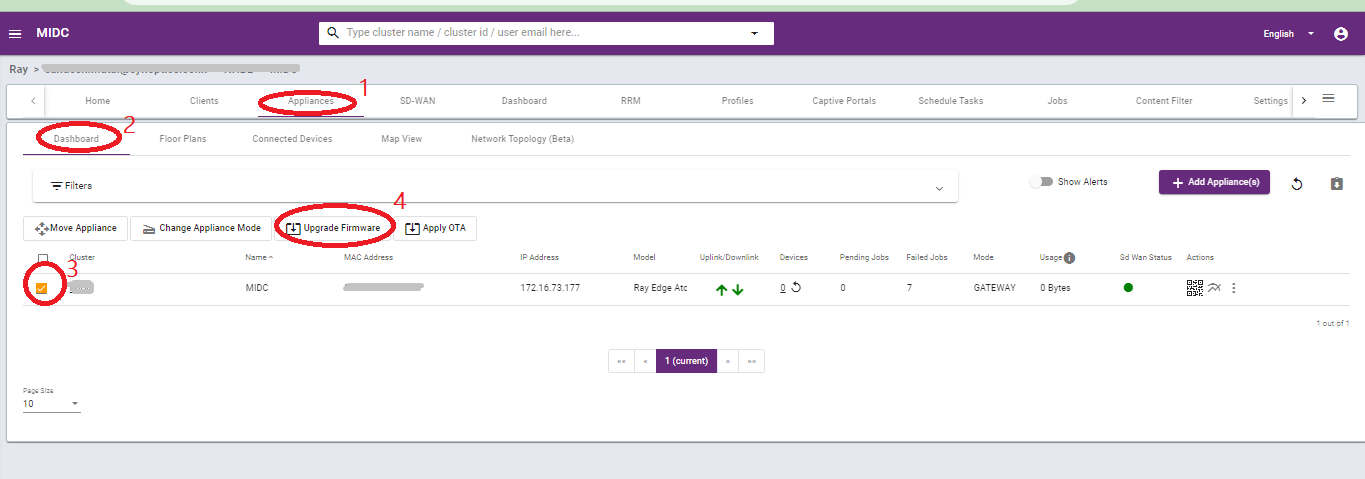
1. Goto Appliances
2. Then click on the Dashboard on the sub-menu bar.
3. Select the appliances that you want to upgrade using the check box.
4. After clicking on the check box a pop-up will open below the filter bar.
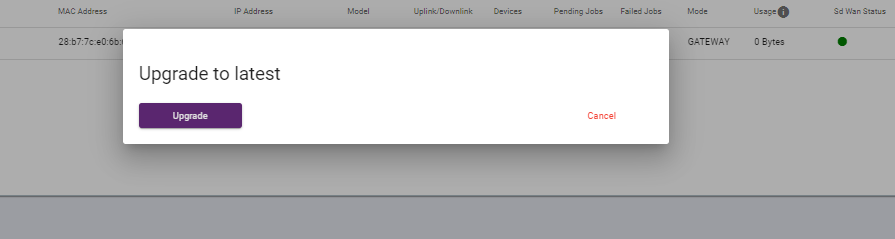
5. Click on the Upgrade firmware. See the below images as a reference.
To upgrade OTA
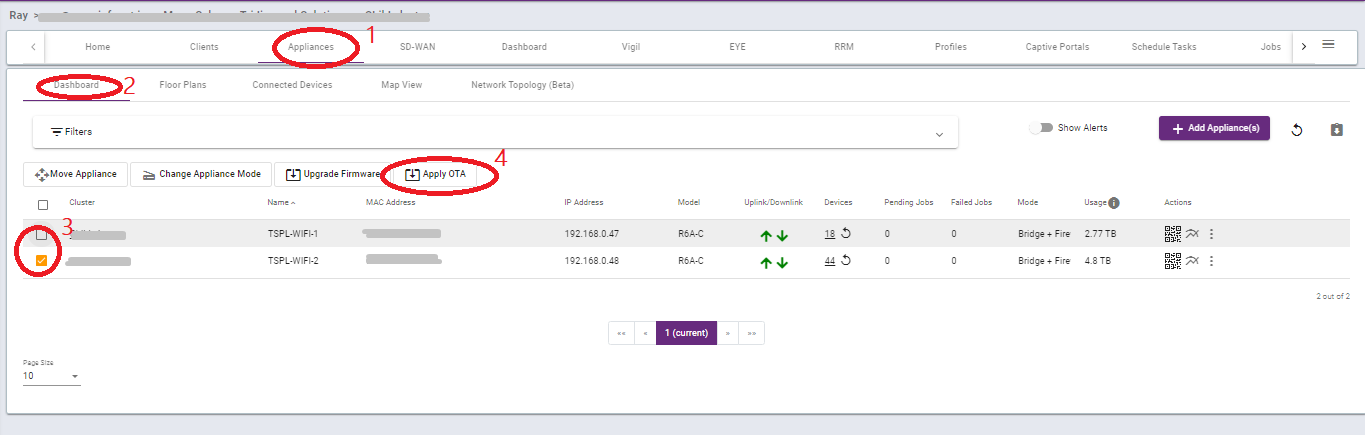
1. Goto Appliances
2. Then click on the Dashboard on the sub-menu bar.
3. Select the appliances that you want to upgrade using the check box.
4. After clicking on the check box a pop-up will open below the filter bar.
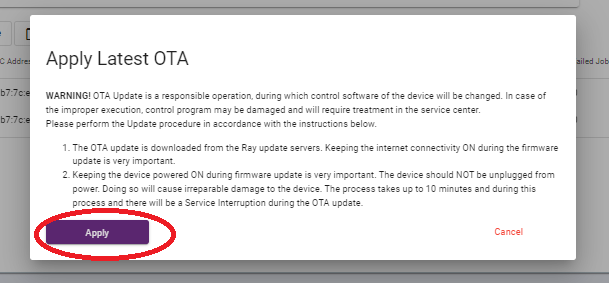
5. Click on the Apply OTA. See the below images as a reference.
Thank you,
Ray support Team