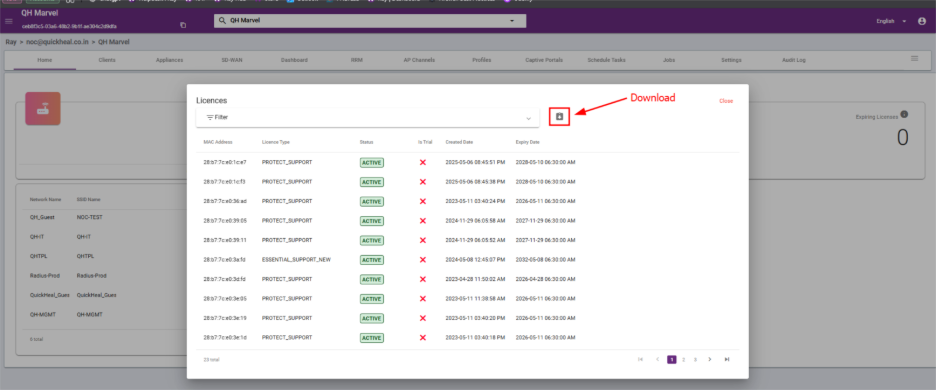
Steps to View Device License Details
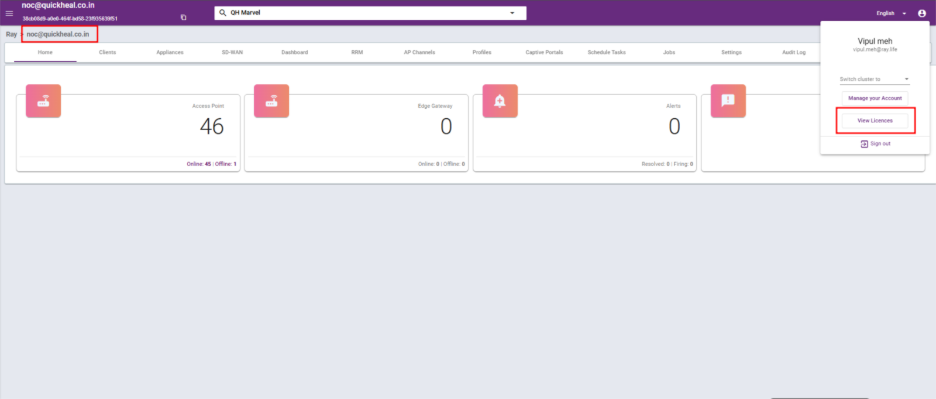
At the Parent level, all devices from the child clusters are displayed.
Step 1: Go to your parent cluster. Click the icon in the top-left corner and select View Licenses.
Step 2: You can now view the details. To download the data, click the Download button.
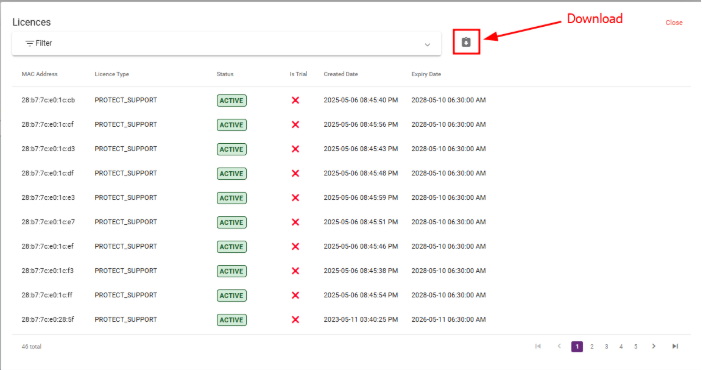
At the Child level, only child cluster device are displayed.
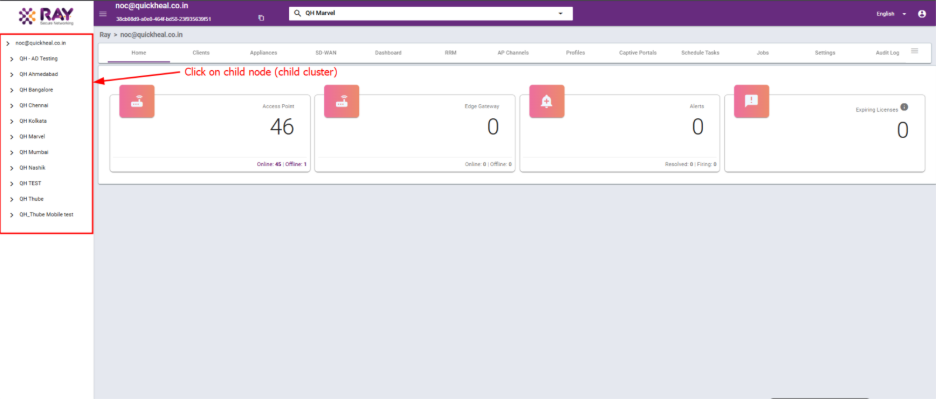
Step 1: Click the child node and navigate to the cluster whose license status you want to view.
Similarly, click on the icon on the top left side, View Licenses.
Step 2: You can now view the details. To download the data, click the Download button.