How To Set Max Clients per Radio & per SSID
SCENARIO: Max Clients per Radio & per SSID
CATEGORY: Capacity Planning
Purpose / Use Case: Prevent overload on each SSID or radio
Steps to Test: Set a limit, then try connecting more devices than the limit
Step 1:
Create the SSID and connect a device.
Step 2:
Go to Profiles > Radio, create a radio profile, and configure the maximum client limit for connected devices (for both 2.4 GHz and 5 GHz).
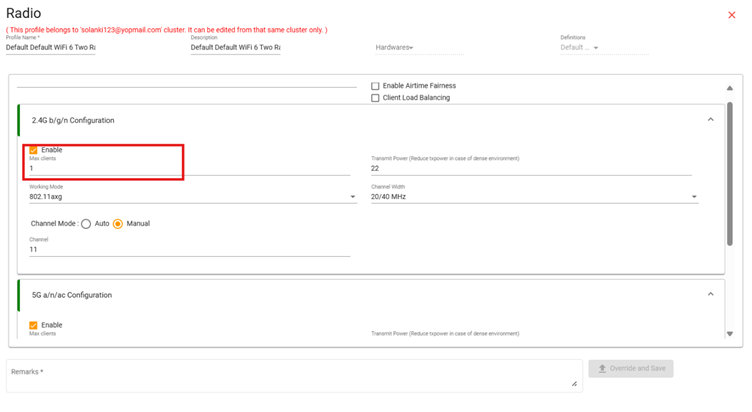
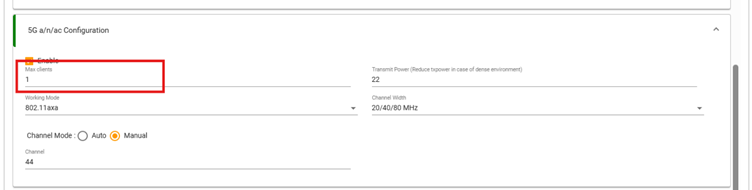
Step 3:
Connect a device and check whether a second device can connect or not.