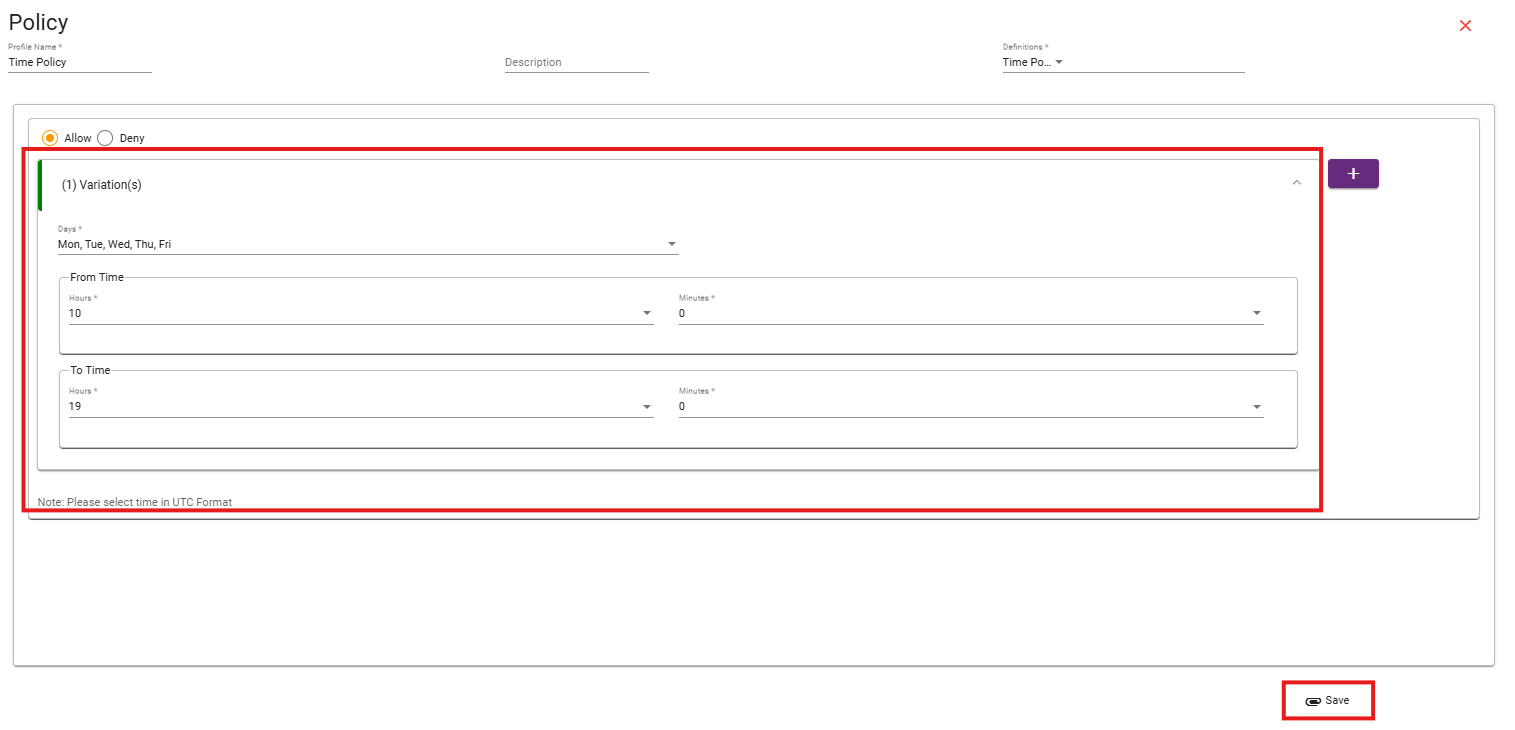
How to configure Time Policy
HOW IT WORKS:
Step 1:
Go to the desired cluster, in which you want to implement Time Based Policy.
Step 2:
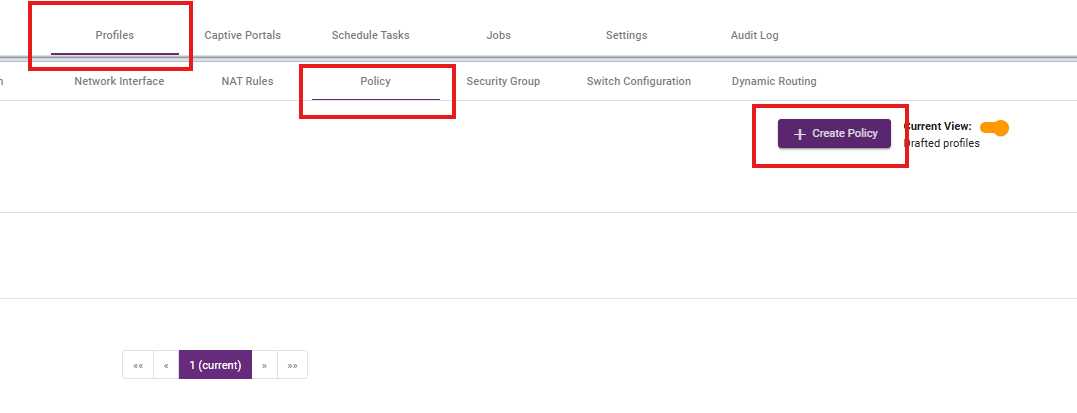
To create Time Policy go to policy under Profiles section. Click on the create policy to create a new policy.
Step 3:
Give a Profile name and Description, After that click on the Definitions.

Step 4:
Choose Allow or Deny based on your requirement:
-
Allow – Grants access during the selected time frame.
-
Deny – Restricts access during the selected time frame.

Step 5:
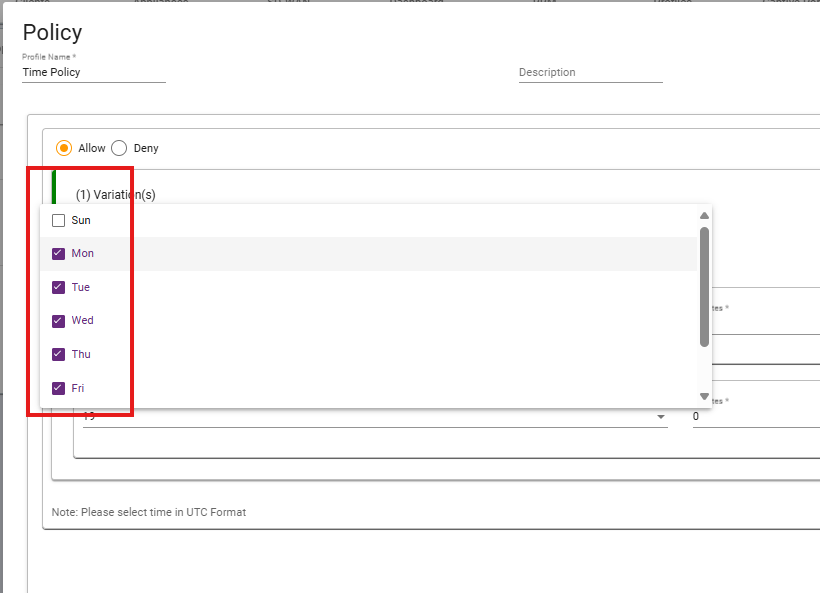
Select days you want to allow or deny.
Step 6:
Select the desired time slot you want to allow or deny and then save.