How to configure Speed Policy

Knowledge Base
How to configure Speed Policy
Last updated: Mar 25, 2026

HOW IT WORKS:  


STEP 1: 

Go to the desired cluster, in which you want to implement Speed Based Policy.


STEP 2:  

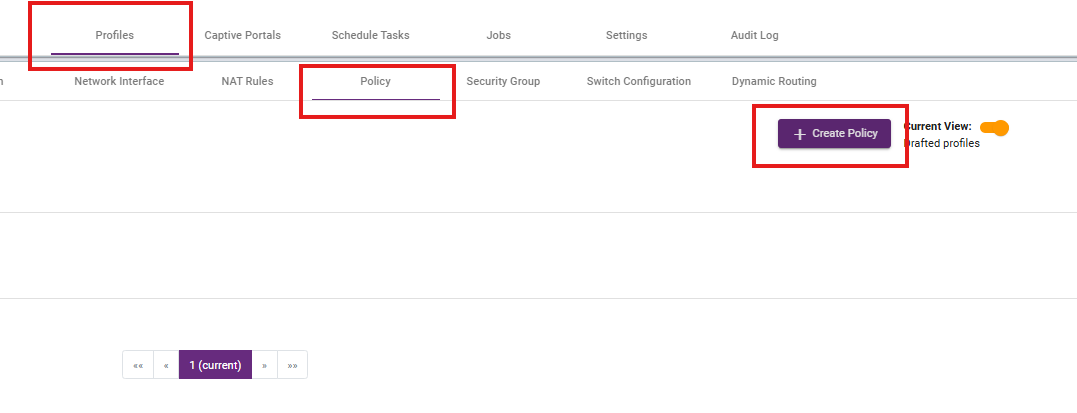
To create Speed Policy go to policy under Profiles section. Click on the create policy to create a new policy.


STEP 3:

Give a Profile name and Description, After that click on the Definitions. 



STEP 4:

Select as per your requirement.
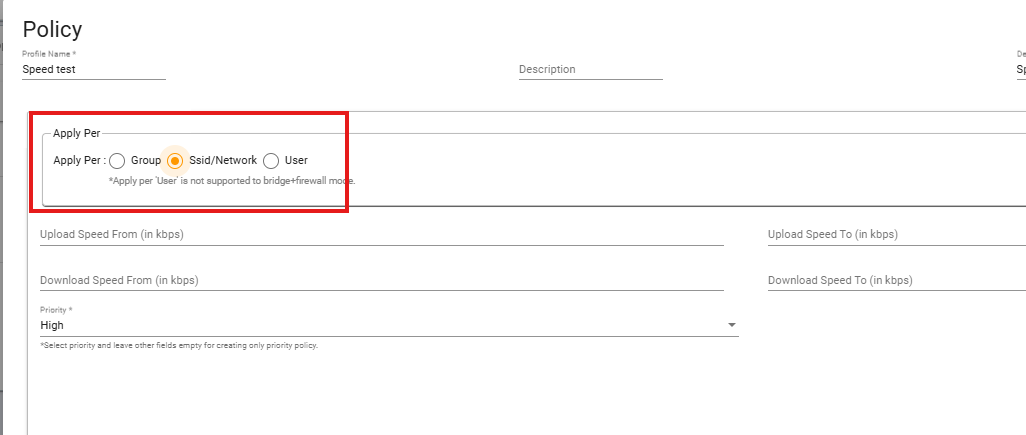
  • Group – Apply upload/download speed limits to a security group.
  • SSID/Network – Apply upload/download speed limits to a specific SSID, WLAN profile, or network interface.
  • User – Apply upload/download speed limits to an individual user.


STEP 5:

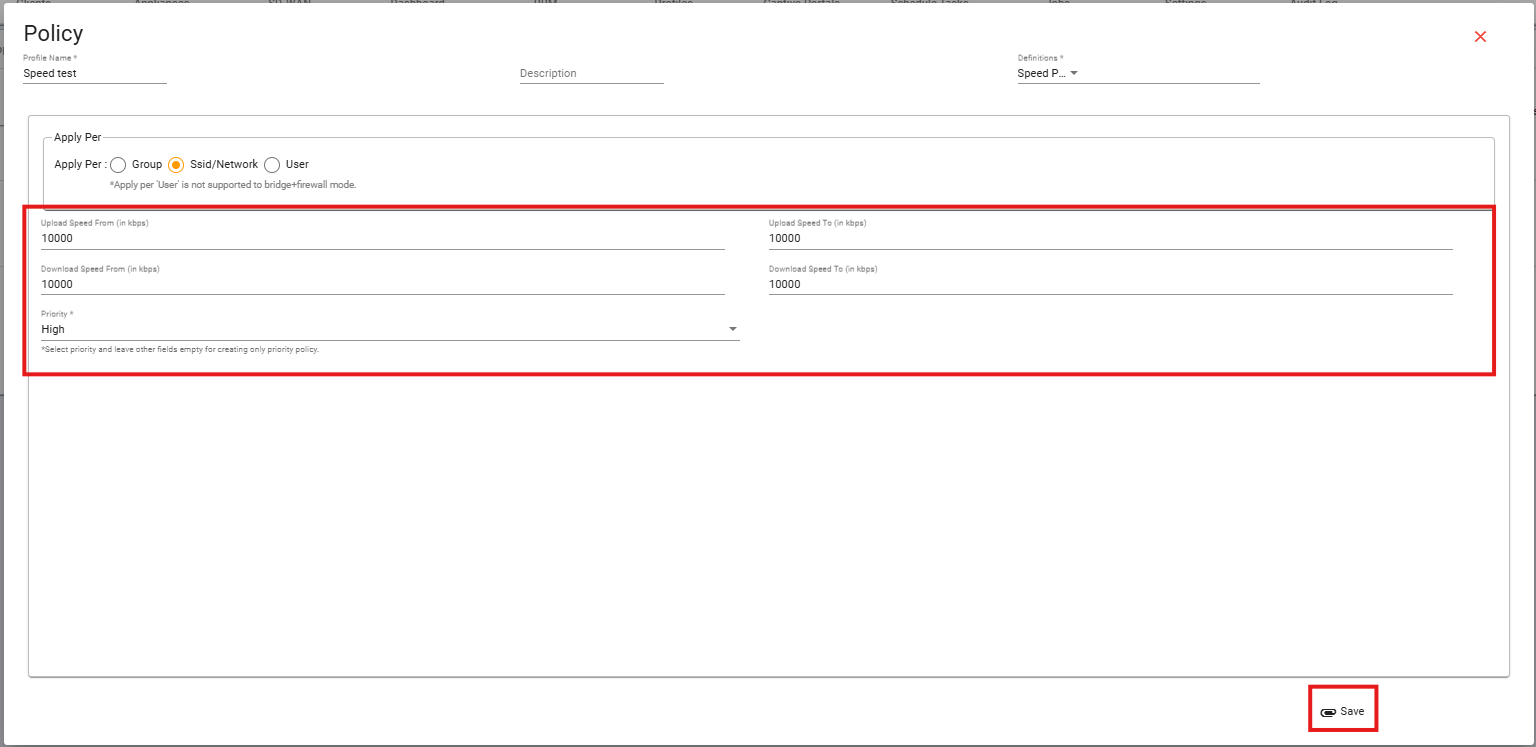
Define speed in kbps and set the priority.


What are your feelings